Moveer vs Pippin

Moveer vs Pippin: moving users vs moving messages

Moveer moves members between voice channels. Pippin moves text conversations (messages, threads, forum posts, and private threads) between channels, keeping the author name, avatar, media, and reactions. If you want to move people, use Moveer. If you want to move messages, start with right-click, then Apps, then Move.

What Moveer does

Moveer moves users from one voice channel to another, including locked and hidden voice channels. The Moveer README (checked 16 October 2026) lists six commands: /cmove, /fmove, /rmove, /tmove, /ymove, and /zmove. The official invite asks for Connect and Move Members, and the README says Moveer will not join the voice channel. Support is at discord.gg/dTdH3gD.

What Pippin does

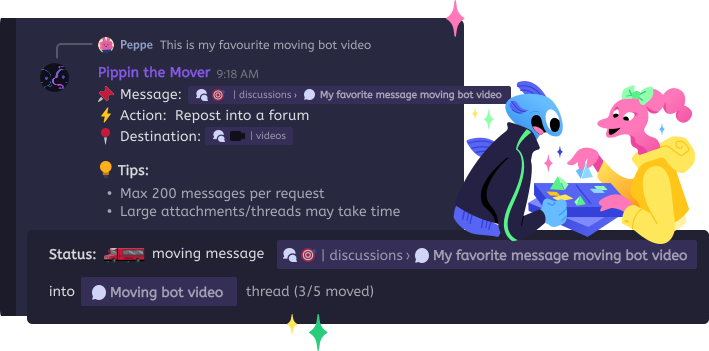
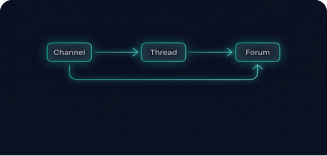
Pippin does not move people in voice. It moves messages, threads, forum posts, and private threads, as both sources and destinations, and keeps the author name, avatar, media, and emoji reactions. A move only pings members who were @mentioned in the original message bodies. Otherwise no one is pinged. Guides: how to move Discord messages and the message mover bot.

Step by step

How to move messages with Pippin

  1. 1

    Add Pippin

    Use Add to Discord on a server where you can manage the bot. You do not need Moveer for this.

  2. 2

    Right-click → Apps → Move

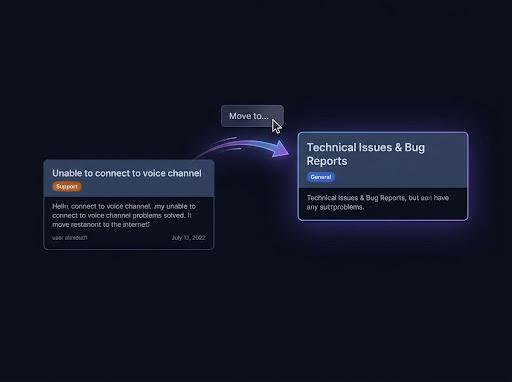
    Start on the first message. Pick a channel, thread, forum post, or private thread.

  3. 3

    Choose how many, then confirm

    This message, a preset, everything below, or a custom amount up to 200. Author name, avatar, media, and reactions stay with the messages.

How Pippin helps

Two different jobs

Voice members

Use Discord's own drag-and-drop, or Moveer's slash commands, when the job is moving people between voice channels.

Message history

Use Pippin when the job is moving the conversation itself, including threads, forum posts, and private threads.

Authors stay on the messages

Pippin recreates each message with the original author's name and avatar, plus attachments, GIFs, links, and emoji reactions.

Mentions stay limited

A Pippin move only pings members who were @mentioned in the original message bodies. Otherwise no one is pinged.

Good to Know

Invite permissions

The official Moveer invite (permissions=17825792) is Connect and Move Members only. The README says the bot only requires Use members and CONNECT, and that it will not join you.

More than 10 users

The Moveer README says that moving more than 10 users instantly means contacting a moderator in its support Discord, instead of waiting for Discord to move the rest.

Donations are not a price list

The README links Buy Me a Coffee and Patreon. Those are support links. They are not a published price for moving messages, because message moving is not described.

Step by step

Play with Pippin for free on our support server

Join the Pippin Discord to try message, thread, forum-post, and conversation moves in a live test environment with no subscription, no credit card, and no move limits on the support server.

Discord logoJoin & try for free

Moveer vs Pippin

Moveer cells are from the GitHub README on 16 October 2026. Pippin cells are from pippin.gg and docs.pippin.gg. A donation link on the Moveer README is not a published feature price.

MoveerPippin
What movesMembers (users)Messages, threads, forum posts, and private threads
Channel typeVoice channels, including locked and hiddenText channels, threads, forums, and private threads
Author keptNot applicable. It moves people, not message historyName, avatar, media, and emoji reactions
PingsNot described. A voice move is not a message repostOnly members @mentioned in the original message bodies. Otherwise nobody

Frequently Asked Questions

What is the Moveer bot?

Moveer moves users from one voice channel to another, including locked and hidden voice channels. Its README lists six commands: /cmove, /fmove, /rmove, /tmove, /ymove, and /zmove. The official invite asks for Connect and Move Members. Checked 16 October 2026 on the Moveer GitHub README.

Can Moveer move messages?

The Moveer README describes moving users between voice channels. It does not describe moving message history, threads, or forum posts. To move messages, use a message mover such as Pippin.

How do I move people in Discord?

In a voice channel, drag a member into another voice channel if you have Move Members. Moveer does that with slash commands, including for locked and hidden channels, and its README says it will not join the channel. The official invite asks only for Connect and Move Members.

How do I move messages instead?

Add Pippin, right-click the first message, then Apps, then Move. Pick a channel, thread, forum post, or private thread. Pippin keeps the author name, avatar, media, and reactions. A move only pings members who were @mentioned in the original message bodies.