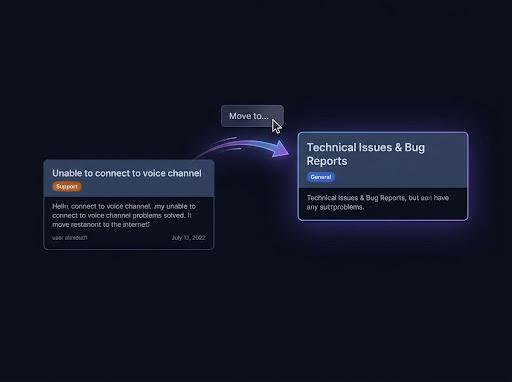
Pick any destination type
The destination picker accepts text and announcement channels, existing threads — public, private, or announcement — existing forum posts, and whole forum channels. You can search by name or paste a Discord link.
Discord conversation mover
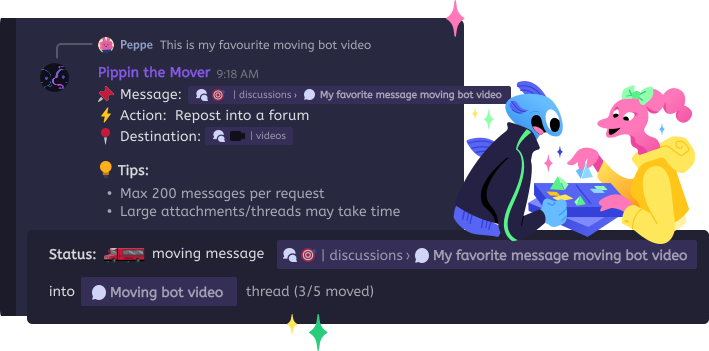
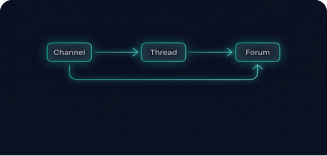
Communities are messy: a tangent deserves its own thread, a thread belongs in a forum, a forum post should become a channel discussion. Pippin's wizard offers exactly the destinations that make sense for what you selected — including creating the thread or forum post for you.
The destination picker accepts text and announcement channels, existing threads — public, private, or announcement — existing forum posts, and whole forum channels. You can search by name or paste a Discord link.
Moving into a regular channel? Pippin offers to wrap the messages into a brand-new public or private thread. Pointing at a forum channel creates a new forum post with the conversation inside.
Threads hanging off moved messages can nest as new threads at the destination or flatten inline with attribution — Pippin picks the right behavior for the destination shape.
The default: messages repost flat into the destination channel, in order, with original authors and reactions.
Choose 'Yes (public)' or 'Yes (private)' on the thread settings screen. Pippin creates the thread, names it from the source content, and opens it with a disclaimer linking back to where the conversation started.
Pick a forum channel as the destination and Pippin creates the post for you — the disclaimer is the starter, the moved conversation follows as replies.
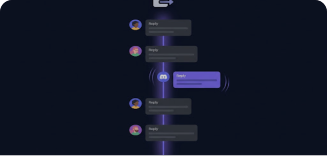
Run Move on the first message inside any thread or forum post, choose 'All below', and send the whole conversation to a channel, another thread, or a different forum.
How Pippin helps
The picker only offers channel types that work as move destinations — and the paste-a-link option rejects anything unsupported with a clear explanation instead of failing mid-move.
Move conversations out of private threads, into existing private threads, or wrap a range into a brand-new private thread — Pippin checks the right permissions for each case up front.
When recreating threads, Pippin copies the auto-archive duration from the original, and sub-threads keep their privacy level when nested at the destination.
Every new thread or forum post Pippin creates starts with a disclaimer carrying the original author, timestamp, and a jump link — context is never simply dropped.
Every move starts the same way: right-click a message → Apps → Move. The wizard adapts its screens to your destination choice.
Moving a whole thread or forum post counts the starter plus every reply against your move quota; creating a new thread or post can add one extra move.
Flat moves into channels preserve message order and authorship, but thread structure is intentionally removed — that's the point of flattening.
A single operation handles up to 200 messages; very long conversations may need two runs.
Join the Pippin Discord to try message, thread, forum-post, and conversation moves in a live test environment with no subscription, no credit card, and no move limits on the support server.
 Join & try for free
Any message range — one message, a counted slice, or everything below a point — can move into a text or announcement channel, an existing thread (public, private, or announcement), an existing forum post, a brand-new public or private thread, or a brand-new forum post.
Yes. When the destination is a regular channel, Pippin asks 'Wrap into a new thread?' with public and private options — the thread name is auto-generated from the source message. Picking a forum channel as the destination creates a new forum post automatically.
Run Move on the first message inside the thread or forum post and choose 'All below'. The entire conversation moves to whatever destination you pick — another channel, a different thread, a forum, or a new wrapped thread.
Pippin asks 'Bring sub-threads along?'. Moving to a regular channel recreates each sub-thread as its own thread (public stays public, private stays private); moving into a thread or forum post flattens them inline with an attribution note.
Moved messages keep the original author's nickname and avatar via webhooks, along with attachments, embeds, and reactions. New threads and forum posts start with a disclaimer noting the original author, timestamp, and a jump link to the source.