Compare move bots

Best Discord bots to move messages, threads and forum posts

A sourced comparison, not a ranking. Pippin moves and copies messages, threads, forum posts, and private threads, in the same server or to another server, on every plan. Movr and StageHand also document moves to another server. msgmover and Mirrorbot can keep relaying new messages; Pippin does not. EasyThreads moves a whole thread with /movethread.

Pippin

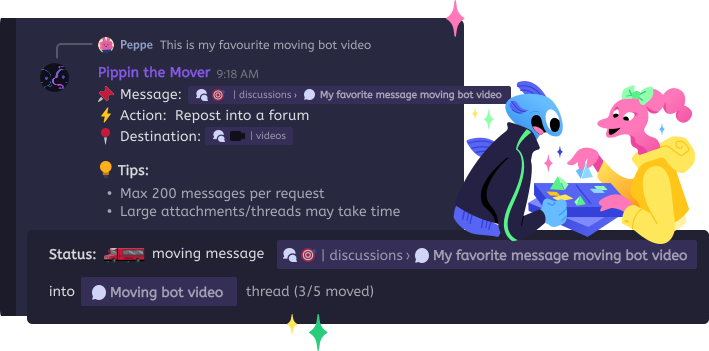
Hosted. Right-click a message, then Apps, then Move. On Move settings, choose Just this, All below, or a custom range up to 200, then Review move. At Keep the originals?, delete them to finish a move or keep them to make a copy. For another server, choose Apps, then Move cross server, and run the one-time /move-link command in the other server. Pippin must be in both servers, and that works on every plan, including free. It keeps the author's server nickname, avatar, attachments, embeds, and emoji reactions, and it moves threads, forum posts, and private threads in both directions. A move only pings members who were @mentioned in the original message bodies. Copies to another server ping nobody. The free plan is 300 moves a month, plus 1,000 supercharged moves to start. Pippin does not relay new messages after a move. Message mover bot. Move messages to another server. Copy messages. Cross-server guide.

Movr

movrbot.com says it moves or copies messages between channels, threads, forums, and servers, and keeps the author name, avatar, attachments, and reactions. Move Messages takes 1 to 100 messages. Move Cross-Server pastes a destination channel ID. The commands page lists that action under Plus and Pro, and the source server needs one of them. Paid plans had not started on 20 October 2026. The pricing page lists Free at 250 messages a month with a one-time 500-message bonus, Plus at $4.99 a month with 1,500 messages and cross-server moves, and Pro at $9.99 a month with no message limit. Servers that had Movr before the launch keep every feature. Private threads and pings were not stated. Private channels are, as a View Channel override.

msgmover (Red cog)

msgmover is a self-hosted cog. msgcopy copies a set of messages. msgrelay keeps forwarding new ones, including to another server. Webhooks copy usernames and profile pictures. Reactions are not supported yet. Sending from threads, and forums, are not supported yet. Sending to threads is marked beta (note dated 2026-06-13). msgrelay requires Administrator. There is no hosted price. Pippin as a msgmover alternative.

EasyThreads

easythreads.dev is a hosted bot for autothreading, panels, and forum defaults. /movethread moves a thread and its full message history to another channel, and members are added to the new thread. The homepage says it is free. It does not say whether the original author, reactions, or private threads are kept, and it does not describe moving a loose set of messages or a cross-server move.

StageHand

/move requires Manage Channels. /move copy reposts a channel, thread, or post. User messages are sent by StageHand, not the original user. MultiMuse and Tupperbox messages keep their settings. The docs say re-sent pings do not notify. A forum destination creates a new post. /move server does the same into another server, with StageHand and Manage Channels on both. A price was not on this page. Ko-fi is linked as support.

Mirrorbot (open source)

DragonCopy Mirror Bot is self-hosted. It mirrors, copies, moves, and exports. Copy message and Copy everything from here leave the originals. Cut everything from here deletes them and needs Manage Messages. Relays use a webhook named DragonCopy that keeps the display name and avatar. EPUB and plain-text export are admin slash commands. Most commands and the context menus require Administrator. Reactions, private threads, pings, and an explicit cross-server move were not in the README. License is CC BY-NC 4.0. No hosted price.

Step by step

How to move messages with Pippin

  1. 1

    Add Pippin

    Use Add to Discord. You do not install Red or run a bot process. For another server, Pippin must be in both servers.

  2. 2

    Right-click → Apps → Move

    Start on the first message and pick a channel, thread, forum post, or private thread. For another server, choose Move cross server instead and run the /move-link command it shows in the other server.

  3. 3

    Move settings, then Review move

    Choose Just this, All below, or a custom range up to 200. Check the cost on Review move, then select Copy messages.

  4. 4

    Keep the originals?

    Delete originals to finish a move, or Keep originals to leave a copy in both places. Author name, avatar, media, and reactions stay with the messages.

How Pippin helps

Where each bot is the clearer pick

Forums and private threads

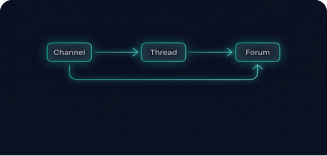
Pippin's docs cover forum posts and private threads as sources and destinations, with the author and reactions kept.

Another server

Pippin includes cross-server moves on every plan, free included. Movr lists them under Plus and Pro. StageHand needs Manage Channels in both servers. msgmover does it on a Red bot you run.

A relay you host

msgmover's msgrelay and Mirrorbot's live relay keep forwarding new messages. Pippin moves or copies the messages you select, then stops.

Roleplay proxies

StageHand says MultiMuse and Tupperbox messages stay a direct copy. Ordinary user messages are reposted by StageHand.

Good to Know

Movr prices are announced, not live

On 20 October 2026 the Movr FAQ said Plus will be $4.99 a month and Pro $9.99 a month, billed by Discord, and that the launch date will be announced. Its terms say they apply to subscriptions from 24 October 2026. The site also said servers that had Movr before the launch keep every feature. Those amounts are not shown here as a current charge.

Copies are new messages

A Pippin copy, in the same server or another one, gets a new message ID and timestamp. Later edits or deletions of the original do not change it.

EasyThreads price

The homepage says EasyThreads is free. No dollar price was on that page. top.gg was not used as a source.

StageHand and Mirrorbot prices

StageHand's /move page does not list a price. Mirrorbot is open source under CC BY-NC 4.0 and has no hosted plan on the README.

Step by step

Play with Pippin for free on our support server

Join the Pippin Discord to try message, thread, forum-post, and conversation moves in a live test environment with no subscription, no credit card, and no move limits on the support server.

Discord logoJoin & try for free

Side by side

Checked 20 October 2026. A cell says "Not confirmed" when that bot's public page did not state it. Movr's site is a single-page app; its plan and command wording is from the public site bundle. See also the Pippin message mover, moving messages to another server, copying messages, the msgmover alternative, and Moveer vs Pippin. Moveer is not in this table: it moves voice members, not messages.

PippinMovrmsgmoverEasyThreadsStageHandMirrorbot
Source typesMessages, threads, forum posts, private threadsChannels, threads, and forumsChannels. Sending from threads, and forums, are not supported yetA thread, via /movethreadA channel, thread, or postOne message, or that message and every newer one
Destination typesChannels, threads, forum posts, private threads, or a new thread. Also another serverChannel, thread, forum post, or voice channel, 1 to 100 messages a run. Cross-server is a separate commandChannels and other servers. Sending to threads is in beta. Forums are not supportedAnother channel. The thread moves with its historyChannel, thread, post, or a new forum post. Also another serverA target channel. A live relay uses one target per source
Copy and keep originalsYes. Choose Keep originals at the end of any moveYes. The site says it moves or copiesYes. msgcopy copies a set of messagesNot confirmedNot confirmed. /move copy reposts; the docs do not say what happens to the originalsYes. Copy message and Copy everything from here leave the originals
Author and avatar keptYes. Server nickname and avatar, plus attachments and embedsYes. Name, avatar, and attachmentsYes. Usernames and profile pictures, via webhooksNot confirmedUser messages are reposted by StageHand. MultiMuse and Tupperbox settings are keptYes. A webhook named DragonCopy keeps display name and avatar
ReactionsYesHomepage says reactions stay intactNot supported yetNot confirmedNot confirmedNot confirmed
Private threadsYes, as a source and a destinationNot confirmed. Private channels are documented; private threads are notNot confirmedNot confirmedNot confirmedNot confirmed
PingsOnly members @mentioned in the original message bodies. Copies to another server ping nobodyNot confirmedNot confirmedNot confirmed. Members are added to the moved threadDocs say re-sent pings do not send a notificationNot confirmed
Cross-serverYes, on every plan including free. Apps → Move cross server, then /move-link in the other serverYes. Apps → Move Cross-Server. Listed under Plus and Pro; the source server needs one of themYes. msgcopy and msgrelay can target another serverNot confirmedYes. /move server, with the bot and Manage Channels on both serversNot confirmed. The README says pick a target, not that the target is another server
Live relayNo. Pippin copies when you run a moveNot confirmedYes. msgrelay forwards new messages, edits, and deletesNot confirmedNot confirmedYes. One relay per source, with an optional delay
HostingHosted botHosted botSelf-hosted Red-DiscordBot cogHosted botHosted botSelf-hosted. You run the process
Free tier300 moves a month, plus 1,000 supercharged moves to start. Cross-server includedFree plan stays. Plus $4.99 and Pro $9.99 a month are announced, not live. The planned Free plan is 250 messages a month plus a one-time 500-message bonusNo hosted fee. You run RedHomepage says it is free. No price was published thereNot confirmed. The docs link Ko-fi, which is a support link, not a priceNo hosted fee. License is CC BY-NC 4.0

Frequently Asked Questions

Which bot can move messages in Discord?

Pippin, Movr, msgmover, and Mirrorbot move or copy messages. EasyThreads moves a thread and its message history with /movethread. StageHand's /move copy reposts a channel, thread, or post, and user messages are sent by StageHand rather than the original user. Moveer moves people between voice channels, not messages.

Which bot can move Discord messages to another server?

Pippin does it on every plan, including free. Choose Apps → Move cross server, then run the one-time /move-link command in the other server. Pippin must be in both servers. Movr lists Move Cross-Server under its Plus and Pro plans. StageHand documents /move server. msgmover can copy and relay to another server if you run Red yourself.

Which message mover bot is free?

Pippin's free plan is 300 moves a month, plus 1,000 supercharged moves to start, and it includes cross-server moves. Movr's site says a free plan stays. On 20 October 2026 its Plus ($4.99 a month) and Pro ($9.99 a month) plans were announced but not live. msgmover and Mirrorbot have no hosted fee; you run them yourself. EasyThreads' homepage says it is free. StageHand's price was not on its /move docs.

What is an interchannel message mover?

It is a tool that takes messages from one Discord channel and puts them in another. Some bots do that as a one-time move or copy. msgmover and Mirrorbot can also keep relaying new messages. Pippin moves or copies the messages you select, in the same server or to another server, and then stops. It does not keep two channels in sync.