Discord forum post mover

Move Discord forum posts into the forum where they belong

Forum channels are great until posts land in the wrong one — and Discord offers no way to move them. Pippin relocates the whole post: a new post is created at the destination and every reply follows, while readers keep seeing who said what.

Wrong-forum triage in four clicks

Open the misplaced post, right-click its first message, choose Apps → Move, and point the wizard at the right forum. Pippin creates the new post and moves the conversation in.

Every reply, every author

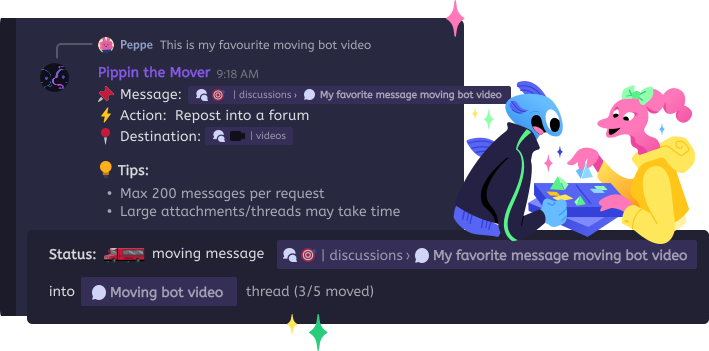
The starter and all replies repost in order, each showing the original author's nickname and avatar — plus a disclaimer linking back to where the discussion began.

Forums aren't the only destination

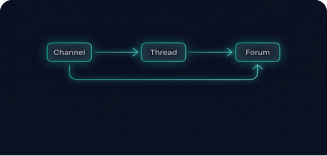
A forum post can also move into a text channel — flat, or wrapped into a new public or private thread — or into another existing thread or forum post.

Step by step

How to move a Discord forum post

  1. 1

    Open the misplaced post

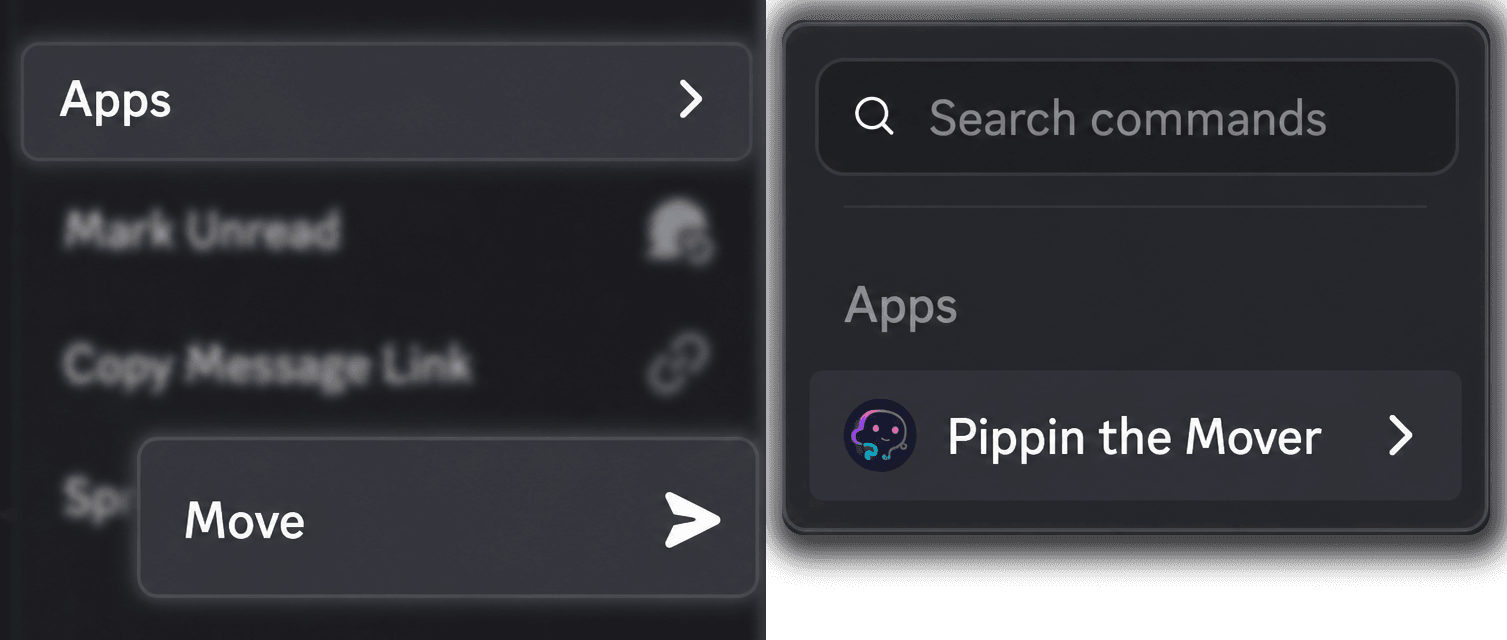
    Right-click the post's first message and choose Apps → Move. Starting from the first message lets 'All below' capture the entire post.

    Discord's Apps context menu with Pippin's Move command highlighted
  2. 2

    Pick the destination forum

    Search for it in the picker or paste a Discord link — Pippin's help screen shows exactly where to copy forum links from.

  3. 3

    Choose 'All below'

    Pippin previews the last message in range so you can confirm the whole post is covered, then shows the exact move cost before starting.

  4. 4

    Confirm and clean up

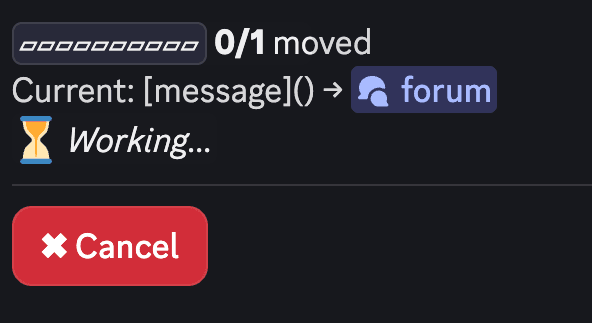
    Watch the progress, cancel any time, and decide afterwards whether the original post should be deleted or kept. If everything moved, Pippin can remove the empty original post itself.

    Pippin's move progress bar showing a message moving to a forum

How Pippin helps

Move conversations without losing context

Built for forum moderation

Support forums, LFG boards, showcase galleries, bug trackers — keep each forum on-topic without asking users to repost their questions.

Replies arrive in order

The disclaimer opens the new post, then every reply follows in sequence, each attributed to its original author via webhooks.

Rich content handled

Attachments are re-uploaded, embeds copied, reactions recreated, and oversized messages prompt a split/skip/cancel choice instead of silent truncation.

Flexible capacity

Monthly limits cover day-to-day triage; booster moves (supercharged moves in the bot) cover the occasional forum-wide reorganization and never expire.

Good to Know

Quota math for forum posts

A forum-post move counts the starter plus every reply against your move quota, plus one extra move when Pippin creates the new post.

Tags aren't carried over

Source forum tags are not carried over — if the destination forum requires a tag, Pippin applies the first available one; re-tag the post afterwards as needed.

Reply links become sequential

Reply links inside the post become sequential messages — order is preserved, Discord's reply UI is not.

Originals deleted only on request

The original post is only deleted if you choose so after the move completes.

Step by step

Play with Pippin for free on our support server

Join the Pippin Discord to try message, thread, forum-post, and conversation moves in a live test environment with no subscription, no credit card, and no move limits on the support server.

Discord logoJoin & try for free

Frequently Asked Questions

Can a Discord forum post be moved to another forum?

Not natively — Discord has no move option for forum posts. Pippin adds one: open the post, right-click its first message, choose Apps → Move, pick the destination forum, and choose 'All below'. Pippin creates a new post there and moves the whole conversation in.

What does the recreated forum post look like?

The new post opens with a disclaimer crediting the original author, timestamp, and a jump link to the source, followed by every message attributed to its original author via webhooks. If the destination forum requires a tag, Pippin applies one automatically so the post can be created.

Can a forum post become a regular channel conversation?

Yes. Pick a text channel as the destination and the post becomes ordinary sequential messages — or answer 'Yes' to 'Wrap into a new thread?' to keep it threaded outside the forum.

Is this useful for support communities?

That is the main use case: questions posted in #showcase, bug reports in the LFG forum, recruiting posts in support. Triage them into the right forum in a few clicks instead of asking users to repost.