Keep the authors
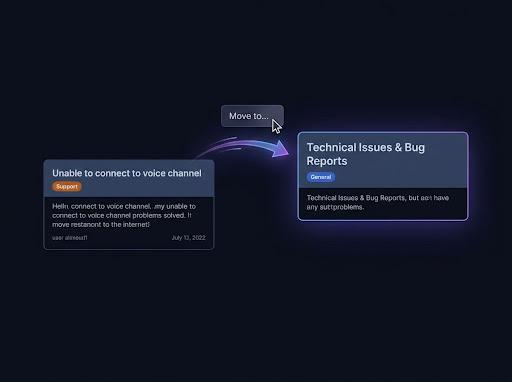
Webhook copies show each author's server nickname and avatar, with attachments, embeds and recreated reactions.
Merge Discord channels
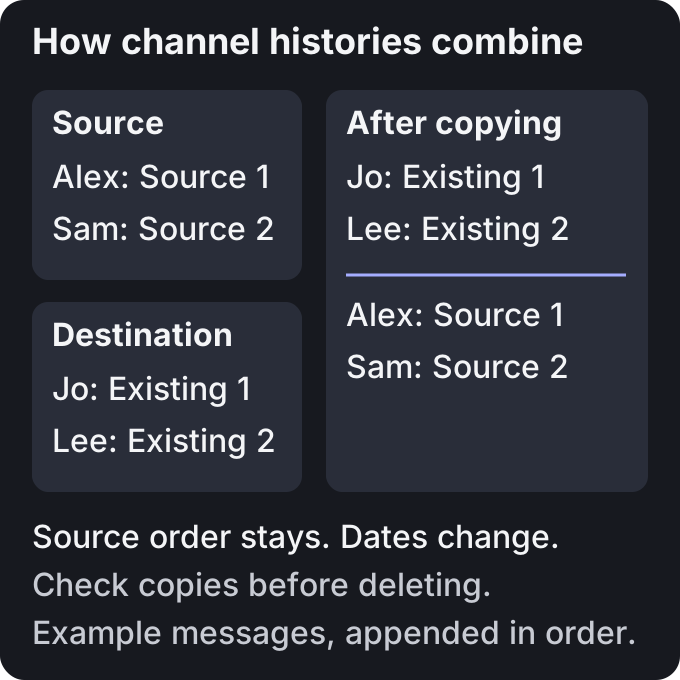
Discord has no merge button. Use Pippin to copy one channel's history into the channel you keep, then check the destination before deleting or locking the source. Messages arrive in source order, after existing destination messages.
Webhook copies show each author's server nickname and avatar, with attachments, embeds and recreated reactions.
Keep originals until you verify the destination. Pippin does not delete the source channel for you.
Destination permissions control who sees the copied history. Moving private content into a public channel exposes it to that audience.
Keep the channel with the permissions, pins and integrations you want. These settings do not move with message history.
The person running the move needs Manage Messages and access to the source history, plus permission to send at the destination or create the chosen thread. Pippin needs View Channel, Read Message History, Manage Messages and Manage Webhooks, plus the destination permissions. Channel overrides matter. Administrator is not required.
Check its permissions, pins and bot integrations. Pause new posts in the source while you transfer its history. Add Pippin to the server.
Right-click the first message, or open ⋯ on mobile. Choose Apps → Move. Pick the destination channel by name or channel link.
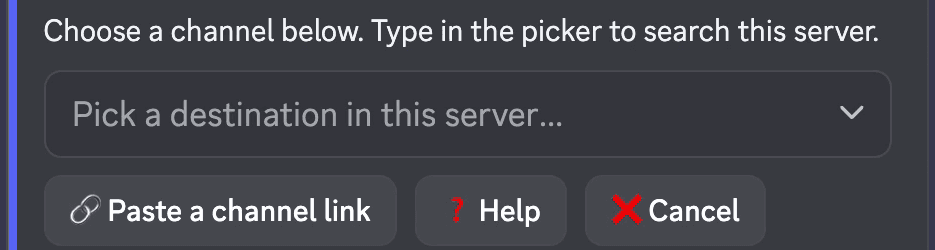
Choose All below. Check the last-message preview and its jump link. Choose whether to wrap the history in a public or private thread. Include attached sub-threads if needed.
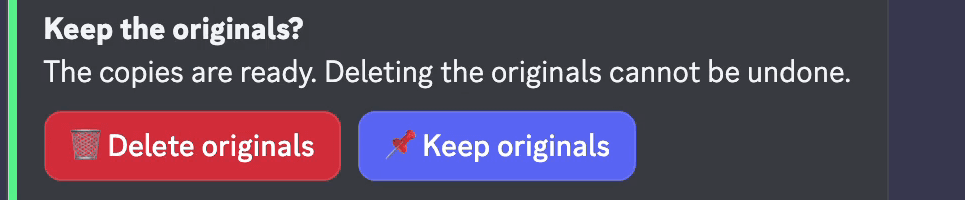
Check the message count and cost in Move settings, then confirm. After the copy succeeds, choose Keep originals while you inspect the destination. If you do not answer, Pippin keeps them.
Check the copied messages, attachments and threads. For longer histories, repeat from the first message not yet copied. Use the preview to avoid gaps or duplicate copies.
After you check all the history, lock the source by removing permission to send messages, or delete the source channel yourself. Deletion has no undo. Re-pin important messages in the destination.
A busy destination can make imported history hard to follow. Choose New thread or Private thread under Post into on Move settings. Check thread membership before moving private content.
Pippin posts new messages with new timestamps. It preserves source order, but it does not interleave both histories by their original dates. A new thread or forum post opens with an attribution note and a source link. That link can stop working after source deletion.
Select an existing thread or forum post to append history there. Start on the source's first message and choose All below. Choose whether to include thread replies on Move settings.
A regular channel destination recreates attached sub-threads. A thread or forum post destination flattens them inline with attribution. Check these replies before retiring the source. When a whole source thread or post moves, choosing Delete originals can delete that thread or post.
You can combine their message history, channel by channel. Pippin does not clone a server or move members, roles, channel settings or integrations. Invite members and configure the destination yourself.
Install Pippin in both servers. Choose Apps → Move cross server in the source, then run its one-time /move-link command in the destination server with the same account. You need access and the required permissions in both places. Treat the command as a secret.
Select the destination and history, then review the cost. The source server pays for the move. Keep originals until you check the result.
Pippin copies attachments and embeds and recreates reactions. Stickers copy where Discord permits them. Oversized content can require splitting, dropping an attachment, skipping a message or cancelling. Check any such choices before deleting the source.
Copies have new message IDs and timestamps. Replies become ordinary messages. Pins do not carry over. Later edits and deletions do not update copies. This is a transfer of history, not a live mirror or lossless native migration.
Each copied message counts as one move. Creating a new thread or forum post can add one move. Free includes every feature, with 300 monthly moves and 1,000 one-time bonus moves. Check the estimate before confirming.
Select a range of messages and move it to another channel or thread. You can keep the rest of the conversation in place.
How Pippin helps
Join the Pippin Discord to try message, thread, forum-post, and conversation moves in a live test environment. No subscription or credit card, and it doesn't use your server's moves.
 Join & try for free
Discord has no native merge button. Pippin reposts one channel's history into another. Check the destination before you lock or delete the source channel.
Pippin can move or copy message history between servers where it is installed. It does not combine members, roles, channels, permissions or server settings.
Choose Keep originals after copying. Check the destination and transfer any remaining history before deleting the source. Copies have new IDs and timestamps. Native reply links and pinned status do not carry over.
No. Copied messages arrive in source order after existing destination messages. Pippin does not insert them between older destination messages.
Yes. Start on the source thread's first message, choose All below and select the existing destination thread or forum post. Attached sub-threads flatten inline there.
Pippin does not re-ping @everyone or @here. Reposted messages suppress user and role mentions, within the same server and across servers.