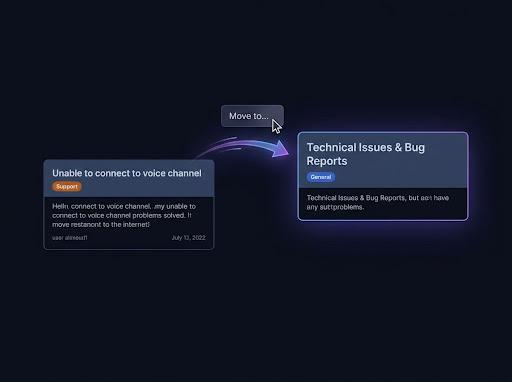
Keep history readable
Lock the original channel when you only need a read-only reference. No bot is required.
Archive Discord history
Discord has no archive button for channels or servers. Make a channel read-only and move it into an Archive category, or copy its messages into an archive channel, forum or separate server with Pippin. Copies keep author names, avatars, attachments and reactions. Check the copy before you delete anything.
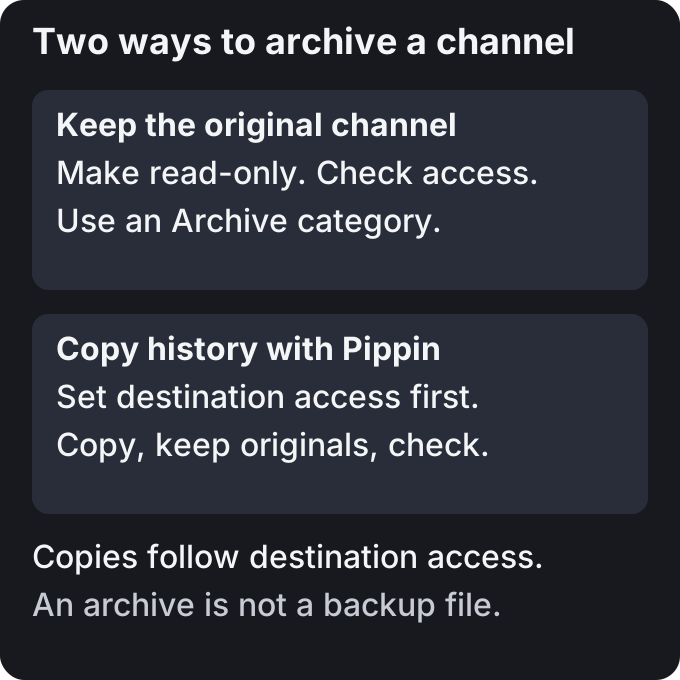
Lock the original channel when you only need a read-only reference. No bot is required.
Hide the archive with View Channel permissions. Check role and member overrides before moving private content.
Use Pippin when history belongs in another channel or server. An archive inside Discord is not an offline backup.
HTML or CSV file exports require a different tool. Pippin keeps the archive inside Discord.
| Method | Messages stay in | Author and avatar | Effort | Best for |
|---|---|---|---|---|
| Lock and move to Archive category | Original channel | Unchanged | Set permissions | Read-only history |
| Copy with Pippin | Archive channel or forum | Reposted via webhooks | Copy selected history | Gather retired conversations |
| Copy cross server | Separate archive server | Reposted via webhooks | Repeat per channel | Separate access |
Create an Archive category with Discord’s Create Category command. In Edit Channel → Permissions, deny Send Messages for @everyone. Also deny Create Public Threads, Create Private Threads and Send Messages in Threads.
Keep View Channel and Read Message History enabled for readers. To hide history, deny View Channel for people who should not read it. Check other role and member overrides. Administrator access bypasses channel restrictions.
Drag the channel into Archive. Check the category permissions before accepting a permission sync. Syncing replaces channel overrides with category settings. Test access as a member after the move.
The history stays in the original channel. Deleting that channel deletes its history.
Create an archive text channel or forum. Set access before copying. A forum can hold one post per retired channel.
Right-click the first message you want to archive, or open ⋯ on mobile. Choose Apps → Move.
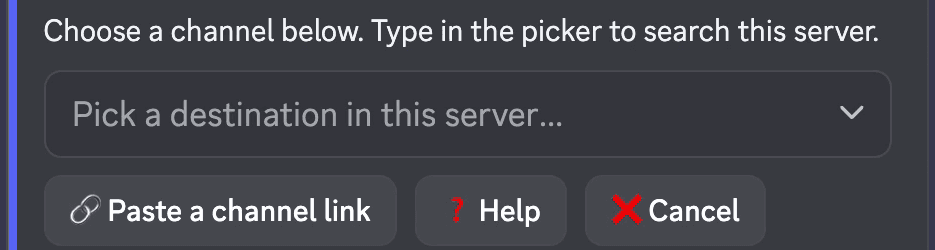
Search for the archive channel or forum, or paste its channel link.
On Move settings, choose All below. Check the selected message count. For longer histories, repeat from the first message not copied.
A text channel can receive flat messages or a new public or private thread. A forum creates a new post. New threads and posts open with an attribution note, timestamp and source link.
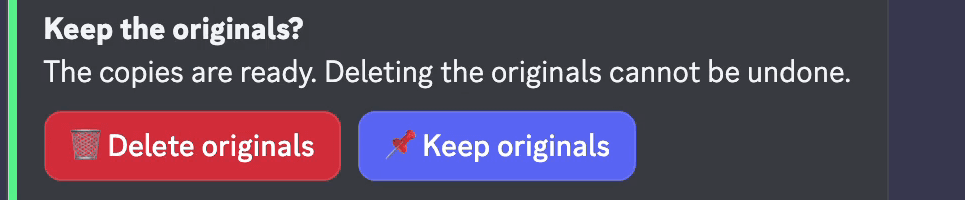
Check the cost and remaining moves on Move settings, then press Move N messages or Copy N messages. When asked about deletion, choose Keep originals. If the prompt expires, originals stay.
Check messages, attachments and any warnings in the destination. Keep the source until you confirm the copy is complete. Lock or delete the old channel yourself.
A forum keeps each retired conversation in its own searchable post. Source forum tags do not carry over. If a destination requires a tag, Pippin uses the first available unmoderated tag.
Pippin can bring attached sub-threads along. Into a channel, they remain threads. Into a thread or forum post, their messages appear inline with attribution. Check private content before choosing a wider audience.
Install Pippin in both servers and join both with the same account. In the source, choose Apps → Move cross server on the first message. Run the private, single-use /move-link command in the archive server. It expires after 13 minutes.
Pick the archive destination and choose All below. Check the count, cost and destination audience before confirming. Start the move, then choose Keep originals. Repeat for the remaining history, channel by channel.
The source server pays for the messages. The destination quota does not change. Attachment limits follow the destination server. Oversized files prompt you to drop the attachment, skip the message or cancel.
Pippin does not clone a server. Create destination channels yourself. It does not recreate roles, members or server settings.
The moderator needs View Channel, Read Message History and Manage Messages in the source. In the destination, they need access and permission to post or create the required thread or forum post.
Pippin needs View Channel, Read Message History, Manage Messages and Manage Webhooks, plus permissions for the chosen destination. It does not need Administrator. Channel overrides can block permissions granted by a server role.
Copies follow destination access, not source access. A private conversation copied into a public archive becomes readable there. Review access before confirming, especially across servers.
Discord removes inactive threads and posts from the active list without deleting the history. This does not make an offline backup or move the conversation elsewhere.
To gather a conversation into an archive, open it and start Apps → Move on its first message. Choose the archive destination and All below. Start the move, then choose Keep originals. Pippin copies the auto-archive duration when recreating a thread.
Copies keep author names and avatars through webhooks, message order, attachments, embeds and reactions. Stickers depend on destination support. Pippin asks how to handle unsupported content.
Copies have new message IDs and timestamps. Reply links and pinned status do not carry over. Later edits and deletions do not update the archive. Mentions do not ping. A thread’s opening attribution note records the source timestamp, not the original timestamp of every copied message.
Long messages and oversized files require a choice. Check warnings and skipped content before deleting any source.
Each copied message costs one move. Creating a thread or forum post can add a move. Free includes every feature, 300 moves per month and 1,000 one-time bonus moves. Monthly quotas reset at midnight UTC on the first day of the month.
Starter includes 3,000 monthly moves. Unlimited has no monthly quota. Both have monthly and lifetime options. One-time booster packs add bonus moves that never expire.
Pippin does not export an HTML, CSV or other backup file. Use a file export tool if you need an offline copy. Keep the original until you verify any archive.
How Pippin helps
Copy mode keeps source messages. Check completeness and access before removing the source.
Move mode reposts history, then asks whether to delete originals. Keep originals if you need more time to check.
Join the Pippin Discord to try message, thread, forum-post, and conversation moves in a live test environment. No subscription or credit card, and it doesn't use your server's moves.
 Join & try for free
There is no channel archive button. Make the channel read-only and put it in an Archive category, or copy its messages into an archive channel, forum or server.
Keep the server and make its channels read-only, or install Pippin in both servers and copy channel messages with Move cross server. Repeat channel by channel. Pippin does not clone servers, roles or settings.
Discord closes inactive forum posts and threads without deleting their messages. To gather history elsewhere, copy it into an archive channel or forum with Pippin.
Pippin can copy messages into an archive inside Discord. It does not export a backup file or keep a live mirror.
No. Copy mode keeps originals. Move mode asks whether to delete originals after reposting. If that prompt expires, originals stay. You control deletion of the old channel.
Mentions in Pippin copies do not ping anyone.