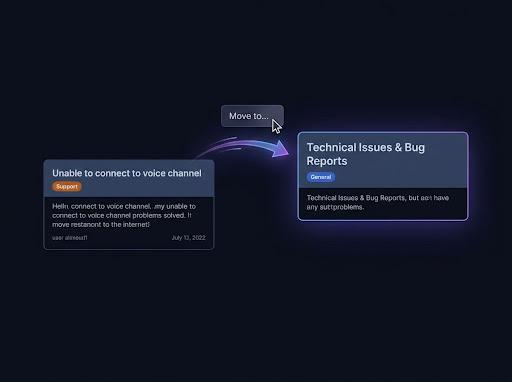
Many channels into one
One feed reads up to 25 channels, private ones included, and posts into one destination: a channel, a public thread, or a forum post. Each channel keeps its own order.
Discord automations
Discord has no automatic forwarding. With Pippin, run /feed and pick the source channels and a destination, in this server or another one. Pippin then copies every new post that matches your filters, or only the posts a moderator reacts to. Keep the originals, or delete them after each copy.
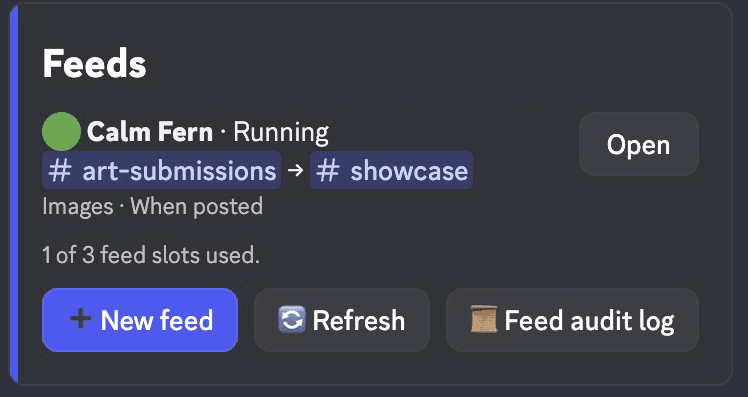
One feed reads up to 25 channels, private ones included, and posts into one destination: a channel, a public thread, or a forum post. Each channel keeps its own order.
Send a feed into a partner server with a one-time /feed-link code. Moderators there can pause or delete it at any time. Only the source server pays for copies.
Copy every new post, or only the ones a moderator marks with an emoji. Use it for a highlights channel, an art showcase, or sorting posts into the right place.
The panel is private to you. You need Manage Messages and read access in every source and in the destination.
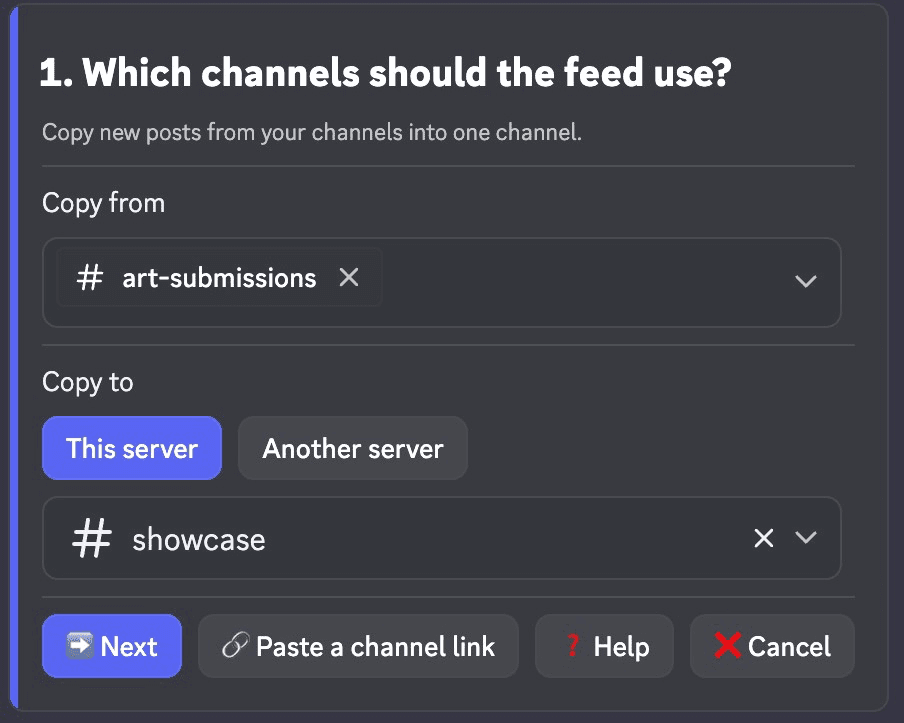
Choose up to 25 source channels. Pick the destination in This server, or select Another server to finish in the target server.
Copy sets the filter. When sets the trigger. Authors limits whose posts are copied. Post as picks Forward or Exact Message Copy. Originals keeps them or deletes them after each copy.
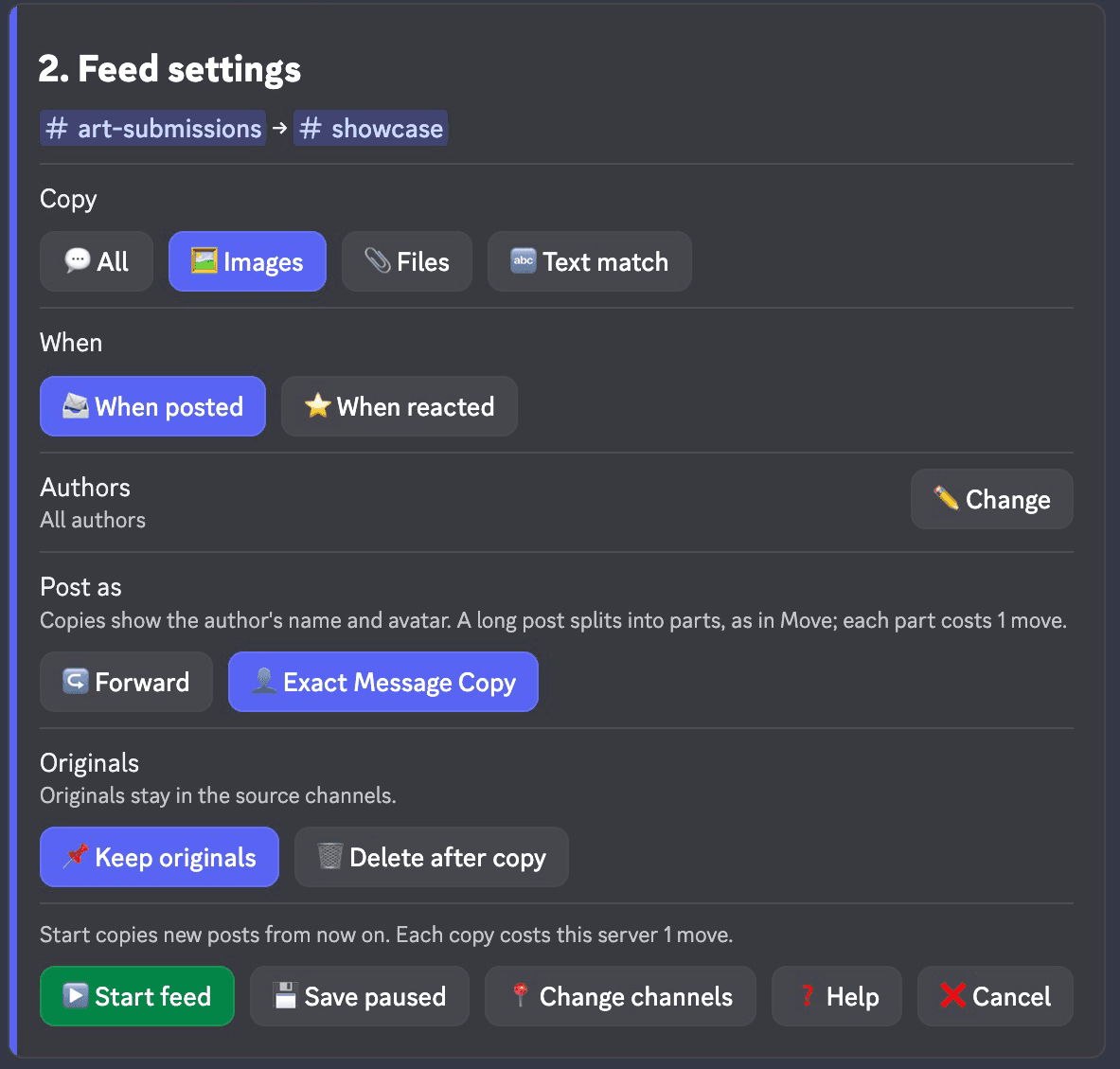
Select Start feed, or Save paused to start it later. New posts are copied from now on. Old history is not imported.
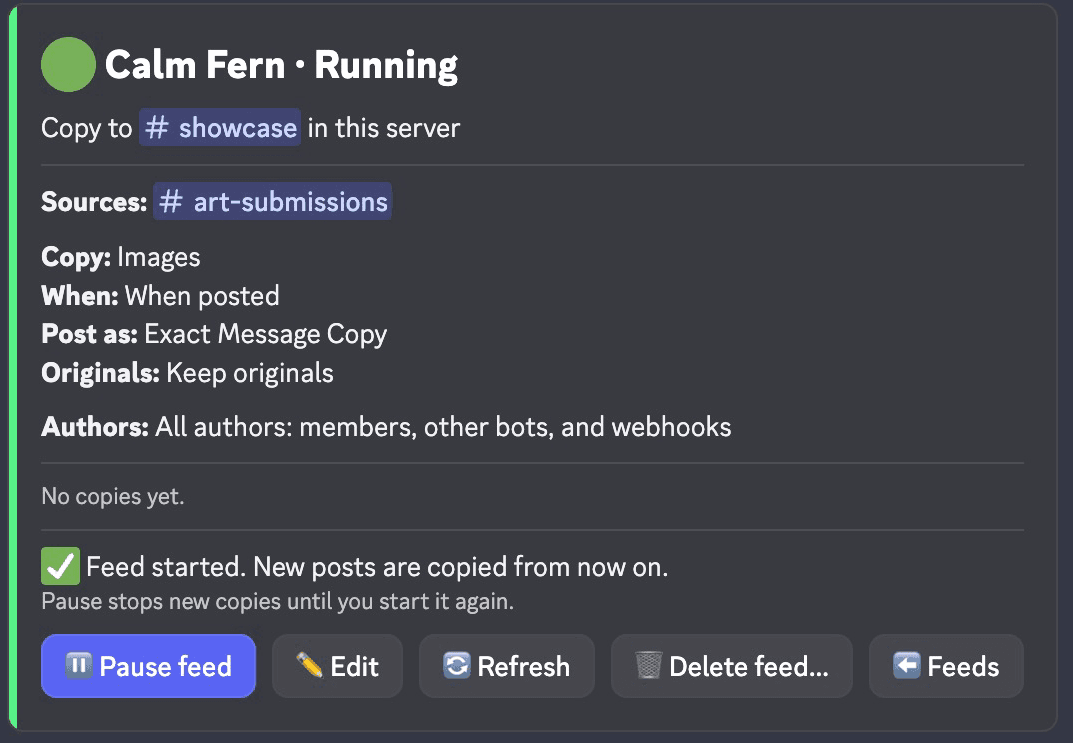
Feeds use two slash commands. Everything else is buttons and pickers in the panel they open.
How Pippin helps
Copy every post, only posts with an image, only posts with any file, or only posts that contain your text. Text match is case-sensitive. A match copies the whole post.
When posted copies each new post. When reacted waits for a moderator to add your emoji, from the common set, the server's own, or pasted.
All authors, only the members, bots, and webhooks you pick, or everyone except them. Up to 25 of each. Pippin's own posts are never copied.
Forward links back to the original. Exact Message Copy keeps the author's name and avatar. Delete after copy removes each original once its whole copy lands.
A paused feed copies nothing. When you start it again, it catches up on at most 24 hours and 300 posts per channel. The panel reports any gap.
If a post can't be copied, the feed panel shows it and the feed audit log gets an entry with a link to the original. Pippin deletes an original only after its whole copy lands.
You and Pippin need access to every source and the destination, and Pippin checks again before each copy. Age-restricted channels can't be used. A channel belongs to one feed at a time.
A feed copies new posts once. Edits, deletes, and reactions on the original don't follow. To copy existing history, use a move instead: /copy-discord-messages.
Join the Pippin Discord to try message, thread, forum-post, and conversation moves in a live test environment. No subscription or credit card, and it doesn't use your server's moves.
 Join & try for free
No. Discord's Forward sends one message at a time, by hand. Pippin adds feeds: run /feed, pick up to 25 source channels and one destination, and Pippin copies each new post that matches your settings.
Yes. Choose Another server on the channels step, finish the settings, then run the /feed-link command Pippin gives you in the target server. You pick the destination there. Pippin must be in both servers, and you must be a moderator in both. The code expires after 10 minutes.
Yes. Set When to When reacted and choose an emoji. A post is copied when a member with Manage Messages in both channels adds that emoji. Other members' reactions do nothing, and reactions from before the feed started don't count.
You choose. Forward posts a native Discord forward with a link to the original, sent by Pippin. Exact Message Copy posts through a webhook with the author's name and avatar. A long post splits into parts, as in a move.
No. A feed copies each post once. Later edits, deletes, and reaction votes on the original don't change the copy. Mentions in a copy never ping anyone.
Free servers get 1 feed, Monthly Starter gets 3, and Unlimited and every Lifetime plan get 10. Deleting a feed frees its slot. Each copied post costs the source server 1 move.