Pippin /copy-server
Full message history, every channel. Add a Discord template for roles.
Compare server cloners
The best Discord server cloner depends on what you need copied. For roles, permissions and the channel layout, use Xenon, Ditto or a free Discord server template. For every channel's full message history, use Pippin the Mover's /copy-server (ours): it copies each channel from its first message into another server, on every plan including Free, and adds to channels that already exist instead of clearing them. Avoid any cloner that asks for your account token.
Pippin is our bot. Competitor facts come from each tool's own pages, checked 23 Nov 2026, with links.
Full message history, every channel. Add a Discord template for roles.
Restorable backups of structure.
Structure, emojis and recent messages for free, ad-supported.
Clone into an existing server and choose overwrite or append.
Free structure-only backups plus emoji and sticker cloning.
Layout, roles and permissions only, with no bot.
Checked 23 Nov 2026 on each tool's own pages (links below the table). Self-bot cloners are not in the table; they have their own section below.
| Pippin (ours) | Xenon | Ditto | Server Maker | Replic | BackupClone | Discord template | |
|---|---|---|---|---|---|---|---|
| What it is | Regular Discord bot (verified) | Regular Discord bot (verified) | Regular Discord bot (verified) | Regular Discord bot (verified); AI server builder | Regular Discord bot (not verified) | Regular Discord bot (verified) | Discord feature, no bot |
| Roles & permissions | No. Use a Discord template | Yes, free | Yes, free, with permissions | Yes ("clone everything (structure, roles, emojis) or only specific parts") | Yes (backups: "Roles, channels, categories, permissions, server settings…") | Yes ("Clones: roles, channels, categories, permissions") | Yes |
| Messages | Every channel's history from the first message, on every plan, Free included | Premium only: "the most recent" 50 / 100 / 250 per channel, by plan. "Older messages are the ones dropped" | "Optionally recent messages": 10 per channel on Free, 100 on Starter, 500 on Pro, "upto 10,000+" on Enterprise | Paid plans. Docs: "maker+ and maker++ can clone message history"; premium page: "maker++ also carries over bans, messages and history" (their pages disagree). Backups: 20 / 150 / 300 messages per channel | No ("Messages, members, bans, threads, webhooks… are not included") | "Only what you mark (no full-server scraping)" | No messages |
| Message limit | No message limit per run; moves are counted | 50 / 100 / 250 per channel (Premium 1 / 2 / 3) | 10 / 100 / 500 per channel; Enterprise "upto 10,000+" | Not listed for clones | n/a | Not listed | n/a |
| Into a server with content | Appends: pairs channels by name and type and never clears them; copies post after existing messages | Replaces: "Loading replaces channels and roles by default." The !roles !delete-roles option keeps roles | Optional "Smart Target Clearing" removes existing content first. Default not listed; its FAQ advises "a mostly empty target server" | Your choice: "overwrite wipes the target server clean before cloning, append adds the cloned assets without deleting anything" | Replaces by default: "By default Replic clears the server's existing channels, roles and emojis first". Set clear: False to keep them | Not listed | Creates a new server |
| Emojis & stickers | Not copied | Premium 2 and 3 | Yes, free | Yes ("structure, roles, emojis") | Yes | Not listed | No |
| Stored backup | No | Yes (15 on Free, up to 250 on Premium) | No: "No data is stored. Everything is processed in-memory" | Yes (asset slots, auto-backups) | Yes (up to 25 per account, no messages) | "Only message IDs stored, content fetched at clone time"; scheduled backups | n/a |
| Admin permission | Doesn't ask for Administrator (permissions=533113203792) | Administrator (permissions=8) | Administrator ("Ditto needs Administrator permissions") | Administrator (permissions: 8 in its install settings) | Administrator (permissions=8) | "Only for Server Admin" | No bot to invite |
| Price | Free plan: 300 moves a month, plus 1,000 bonus moves to start. Starter $4.99/month or $49.99 once; Unlimited $9.99/month or $99.99 once; plus tax. 1 move per copied message, more if a long message is split | Free; Premium 1 / 2 / 3 = $5.99 / $10.99 / $15.99 a month or $54.99 / $104.99 / $149.99 a year, excl. VAT | Free, "with a short ad requirement before cloning". Paid tiers Starter / Pro / Enterprise; prices not listed | Free; maker+ $4.99/month; maker++ $14.99/month | Free ("Every feature… is free to use") | Paid features exist; prices not listed | Free |
"Not listed" means the tool's own pages don't say. We tested none of the other tools; their cells are per their pages.
A server has structure and content. Structure is the roles, permissions, channels and settings. Content is the messages, threads and files inside the channels. Most cloners copy structure for free and either charge for messages or keep only the most recent ones.
Members never move: Discord has no way to move an account. As Xenon puts it, "Discord provides no way to move an account from one server to another." Every tool here, Pippin included, needs you to invite members to the new server.
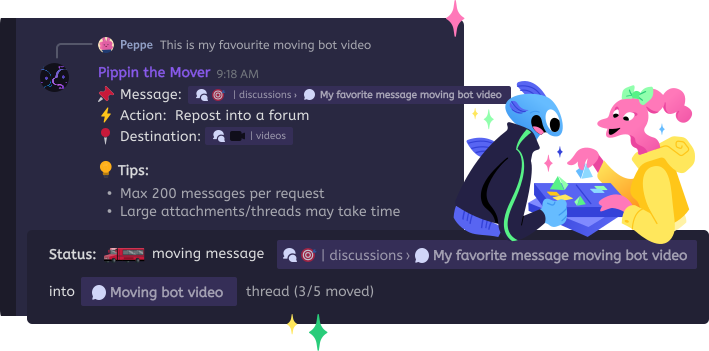
Pippin is ours. /copy-server copies every text, announcement, forum and media channel of one server into another server, with threads and forum posts, from each channel's first message. It runs on every plan, Free included. One run has no message limit, but moves are counted: each copied message costs 1 move, charged to the source server.
Channels pair by category, name and type. A paired channel is never cleared, so the copies post after its existing messages. New channels start private: only you, Pippin and server administrators can see them. For roles and permissions, start the new server from a Discord template. Pippin is a regular bot, and its invite doesn't ask for Administrator.
Best for: copying every channel's full message history into another server.
Watch out for: it doesn't copy roles, emojis or server settings, and it keeps no stored backup. Voice and stage channels are skipped. Each copied message costs 1 move, more if a long message is split.
Xenon is a backup bot that also clones. Its clone page says: "Structure is free. Messages, bans, and nicknames come with Premium." Premium saves the most recent 50, 100 or 250 messages per channel, by plan, and "Older messages are the ones dropped."
Loading a backup "replaces channels and roles by default." An attachment restores only if the backup is under 24 hours old, the original message still exists, and its files add up to less than 8 MB. Xenon keeps 15 backups on Free and up to 250 on Premium. Its invite asks for Administrator. Premium is $5.99, $10.99 or $15.99 a month.
Best for: restorable backups of a server's structure.
Watch out for: loading replaces channels and roles by default, and only the most recent messages come along, on Premium.
Ditto clones roles, permissions, channels, emojis and stickers for free. Its FAQ says it is free "with a short ad requirement before cloning." When you turn messages on, it copies recent ones: 10 per channel on Free, 100 on Starter, 500 on Pro and "upto 10,000+" on Enterprise. Its plans page doesn't list prices.
An optional Smart Target Clearing removes existing content from the target server before cloning, and the FAQ advises a mostly empty target. Ditto says "No data is stored", so there is no backup to restore later. It needs Administrator.
Best for: a free clone of structure, emojis and stickers.
Watch out for: only recent messages come along, and an ad runs before cloning.
Server Maker is an AI server builder that also clones. Its docs say you can "clone everything (structure, roles, emojis) or only specific parts." You choose how it treats the target: "overwrite wipes the target server clean before cloning, append adds the cloned assets without deleting anything."
Message history is on paid plans, but its pages disagree on which. The docs say "maker+ and maker++ can clone message history"; the premium page says "maker++ also carries over bans, messages and history." Backups keep 20, 150 or 300 messages per channel. maker+ is $4.99 a month and maker++ is $14.99 a month. Its invite asks for Administrator.
Best for: cloning into a server you already have, when you want to choose overwrite or append.
Watch out for: its pages disagree on which paid plan copies messages, and no message limit for clones is listed.
Replic copies structure. Its backups hold "Roles, channels, categories, permissions, server settings", and it clones emojis and stickers. "Messages, members, bans, threads, webhooks… are not included." It keeps up to 25 backups per account, and its FAQ says every feature is free.
By default Replic "clears the server's existing channels, roles and emojis first"; set clear: False to keep them. Its invite asks for Administrator. On 23 Nov 2026, Discord's public app endpoint listed Replic as not verified (is_verified: false).
Best for: free structure backups plus emoji and sticker cloning.
Watch out for: it copies no messages, and it clears the target server by default.
BackupClone's top.gg page describes "1:1 Discord backup & cloning — clone structure + selected messages." It clones roles, channels, categories and permissions. For messages it copies "only what you mark (no full-server scraping)", and it stores only message IDs, fetching the content at clone time.
It has scheduled backups and paid features. Its top.gg page lists no prices, and it doesn't say what happens to a target server that already has content.
Best for: archiving selected messages next to a cloned structure.
Watch out for: only the messages you mark come along, and prices are not listed.
Discord's own server templates copy a server's layout, roles and permissions into a new server, for free, with no bot. A template copies no messages.
Make one in Server Settings → Server Template, then create the new server from its discord.new link. Pippin's 🧱 Create template button on the /copy-server panel makes one for you.
Best for: copying the layout, roles and permissions for free.
Watch out for: no messages, and it only creates a new server.
Many server cloners on GitHub and on websites log in with your personal account token instead of a bot account. Discord calls these self-bots, and its rules forbid them. The tools' own READMEs say so too.
Pippin, Xenon, Ditto, Server Maker, Replic and BackupClone are bots you add to a server. None of them asks for your account token.
Use Pippin for the messages and a Discord template for the roles. Full walkthrough: How to copy a Discord server with messages.
On the /copy-server panel, select 🧱 Create template, or make one in Server Settings → Server Template. Create the new server from the discord.new link. A template copies no messages.
Pippin must be in the server you copy from and the server you copy into. You need Manage Server in both.
Run /copy-server in the source server. Then run the /feed-link command it gives you in the destination server.
Check which channels pair with existing ones and which Pippin creates as new private channels. Then start the copy.
We compared what each tool copies: roles, messages and how many, emojis and stickers. We also compared whether it replaces or adds to a server that has content, the permission its invite asks for, its price, and whether it follows Discord's rules. Every competitor fact comes from that tool's own pages, checked 23 Nov 2026, and each source is linked under the table.
Pippin is our bot. We tested none of the other tools, so their facts are per their pages. Where a page doesn't say, the table says Not listed.
How Pippin helps
Each channel copies from its first message up to the newest one when the run started, with threads and forum posts.
Each copy shows the original author's name and avatar, with files and embeds. Pippin re-adds reactions as emoji, without counts.
A channel with the same name and type is paired, never cleared. The copies post after its existing messages.
Pippin is a regular Discord bot that you add to both servers. Its invite doesn't ask for Administrator.
Join the Pippin Discord to try message, thread, forum-post, and conversation moves in a live test environment. No subscription or credit card, and it doesn't use your server's moves.
 Join & try for free
It depends on what you need. For roles, permissions and layout, Xenon, Ditto or a Discord server template work. For every channel's full message history, Pippin's /copy-server copies each channel from its first message on every plan, Free included. Avoid any tool that asks for your account token.
Pippin copies every channel's history from the first message. Per their own pages (checked 23 Nov 2026), Xenon saves the most recent 50 to 250 messages per channel on Premium, Ditto copies 10 recent messages per channel on its free plan and more on paid tiers, and Server Maker copies message history on paid plans. Replic and Discord templates copy no messages.
Yes. A Discord server template copies the layout, roles and permissions for free. Xenon, Ditto and Replic copy structure for free. Pippin's free plan includes /copy-server, with 300 moves a month, plus 1,000 bonus moves to start. Each copied message uses one move.
Bots you add to a server use Discord's bot API and are allowed. Cloners that log in with your personal account token are self-bots, which Discord says are forbidden and "can result in an account termination". Pippin is a regular bot and never asks for your token.
It depends on the tool. Xenon's load "replaces channels and roles by default", and Replic clears the target by default unless you set clear: False. Server Maker lets you choose overwrite or append. Pippin never clears a channel: it pairs channels by name and type and posts the copies after their existing messages.
Not with a legitimate bot. Xenon and Ditto require administrator permission. Pippin requires Manage Server in both servers. Tools that promise to clone any server use your account token, which breaks Discord's rules.
No. Discord has no way for a bot to move an account to another server, so every tool, Pippin included, needs you to invite members to the new server.
No. Pippin copies categories, channels and messages. For the same roles and permissions, create the new server from a Discord server template first (Pippin's 🧱 Create template makes one). Emojis, stickers and server settings aren't copied.